Display token and costs in Open WebUI when using LiteLLM
/ 1 min read
Table of Contents
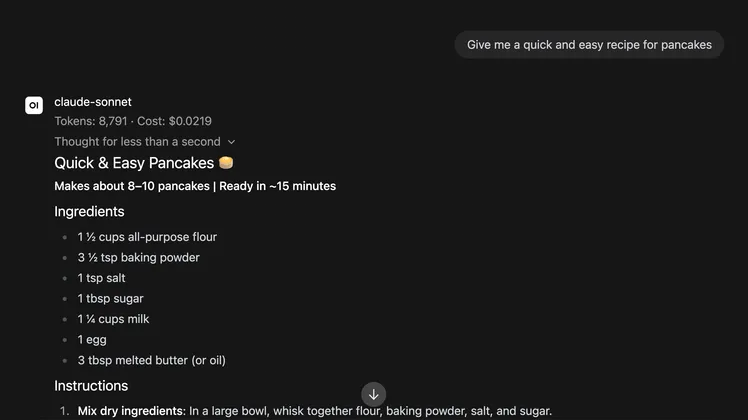
By default, users get no insight into how many tokens they have used or how much budget they have spent when messaging in Open WebUI. This article demonstrates how to easily show that information above each message.
Tested with Open WebUI v0.11.0 and LiteLLM v1.93.0.
LiteLLM Config
Enable include_cost_in_streaming_usage in your LiteLLM config. This undocumented setting lets Open WebUI receive the actual costs as part of the final chunk, instead of just the consumed tokens.
litellm_settings: include_cost_in_streaming_usage: trueOpen WebUI Config
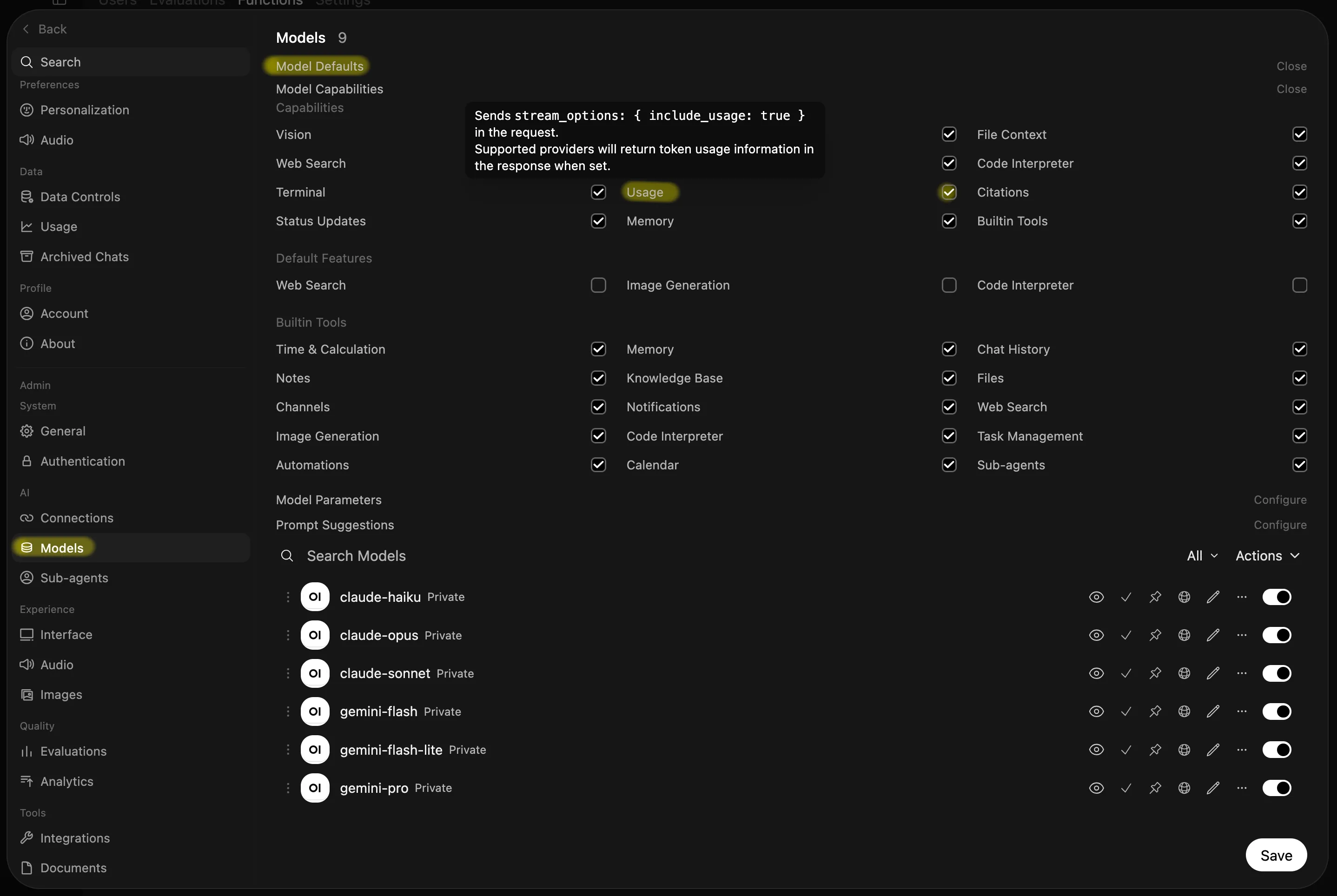
In the admin panel, open the Models settings and expand the default settings at the top. Open Model Capabilities and make sure Usage is enabled. This prompts LiteLLM to include usage information in its response.
Next, add a filter function that extracts this information and displays it above each message.
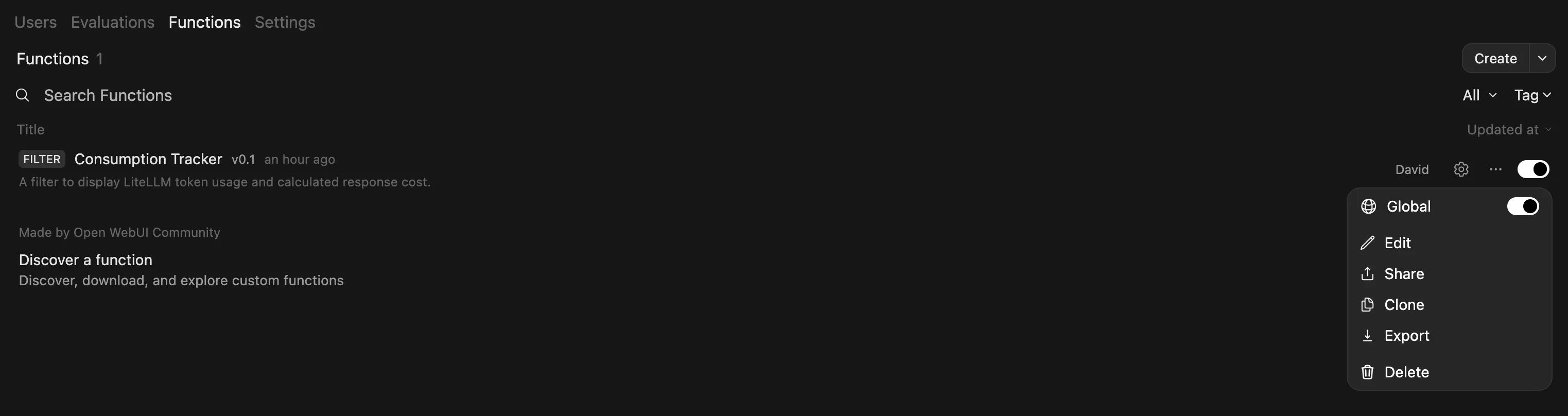
My simple implementation is here. Copy the code from cost-tracker.py, go to the Functions tab in the admin panel, and paste it into a new function. Make sure the new filter is enabled globally.
Et voilà, that’s all it takes to display the consumption of each message in Open WebUI.